Explore

The latest from founders building in public.

BA

I ran my own brand through an AI checker. It found 13 problems.

Placeholder text still live on my homepage. Two names for my own newsletter. Three different first lines on X, LinkedIn and my website.

So I built a system anyone can copy:

1. One prompt reads your bio and best posts, grades them, then writes an 11-part brand kit for your field.
2. A checker scores every draft: proof, voice, positioning, format. 80 passes.
3. Six hard fails block a post even at 95. For a coach, promising results. For a freelancer, client work without permission. For a founder, rounded-up numbers.

It costs about 1.5 cents a check.

The free prompt and the full walkthrough are in the first comment.

Which field are you in? I'll reply with the first hard fail I'd add to your kit.

Full video - free full tutorial and downloadable files and how-to:

youtu.be/EVdyU765Pd8

youtu.be
BA

Upgrade to AI without rebuilding the shortcut library you already rely on.

Keep Your Shortcuts. Add AI.

Using Text Blaze or TextExpander? You don't have to start from scratch. KeyText imports your library in minutes, keeps your shortcuts, and adds AI that drafts, rewrites and replies right in Chrome. Try every Pro feature free for 7 days, no credit card: keytext.app

#KeyText #TextBlaze #TextExpander #TextExpanderAlternative #AItools #ProductivityTools #ChromeExtension #WorkSmarter

Already using Text Blaze or TextExpander? Your shortcuts don't have to stay behind. KeyText imports your library in minutes. Keep your shortcuts. Gain AI that drafts, rewrites, and replies right where you type. No desktop app. It lives in Chrome. Try every Pro feature free for seven days. No snippet caps. No credit card. Your old shortcuts, smarter. Add KeyText to Chrome. It's free.

0:00 / 0:00
BA

3 Things I Never Let My AI Receptionist Do

It won't take payments. It won't give medical advice. And it only knows what I write down: if a price isn't in my doc, the team calls you back. If an AI video only shows you what works, it's an ad.

Full build on my channel: "I Built an AI Receptionist. It Answered Every Call for a Week."
Full video - free full tutorial and downloadable files and how-to:
youtu.be/qDrqS0Ex_FY


#shorts #aireceptionist #ai #aiautomation #smallbusiness

ai receptionist, ai receptionist limitations, ai voice agent, ai for small business, ai phone answering, ai automation, retell ai, n8n, ai receptionist demo, build leaner

0:00 / 0:00
BA

Every teammate, including day-one hires, sends your best answer.

10 Reps. 10 Different Answers. Fix That.

When everyone writes their own replies, quality depends on who's online. KeyText Team puts your best replies in one shared library, so new hires send great answers from day one. $4 per seat per month, with 5,000 AI actions per seat. Start free: keytext.app

#KeyText #SalesTeam #CustomerSupport #TeamProductivity #SalesEnablement #Onboarding #AItools #ChromeExtension

Ten people on your team. Ten different ways to answer the same question. Some great. Some off-brand. With KeyText Team, your best replies live in one shared library. Sales. Support. A new hire types slash and sends your best answer on day one. Everyone sounds like your best rep. Four dollars a seat, per month. Add KeyText to Chrome. It's free to start.

0:00 / 0:00
BA

I Pay My AI Receptionist 14 Cents a Minute

What an AI receptionist actually costs: about 14 cents a minute on Retell's pay-as-you-go rates, plus 2 dollars a month for the phone number. n8n and Google cost me nothing extra.

Full build on my channel: "I Built an AI Receptionist. It Answered Every Call for a Week."
Full video - free full tutorial and downloadable files and how-to:
youtu.be/qDrqS0Ex_FY


#shorts #aireceptionist #aitools #smallbusiness #aiautomation

ai receptionist cost, ai receptionist pricing, retell ai pricing, ai voice agent cost, ai phone answering service, ai for small business, ai automation, n8n, cheap ai receptionist, build leaner

0:00 / 0:00
BA

This is how my AI reschedules without losing a client

The One Rule My AI Follows When You Move a Booking

When a client moves an appointment, most systems cancel first. Mine books the new time first and only cancels the old one after that works. If anything fails, the client still has their slot.

Full build on my channel: "I Built an AI Receptionist. It Answered Every Call for a Week."
Full video - free full tutorial and downloadable files and how-to:
youtu.be/qDrqS0Ex_FY


#shorts #aireceptionist #n8n #automation #smallbusiness

ai receptionist, reschedule appointment automation, ai appointment booking, n8n workflow, n8n automation, google calendar automation, ai voice agent, ai for small business, retell ai, build leaner

0:00 / 0:00
BA

Refine a tricky reply by just talking, without re-explaining or switching tabs.

Just Tell It What to Change

The first draft is never the last. KeyText Auto-reply has memory, so you can say "make it shorter" or "add that I'm travelling next week" and it keeps refining the same reply. No copy-pasting into another AI tab. Free on Chrome: keytext.app

#KeyText #AIReply #AIAssistant #EmailTips #ProductivityHacks #AItools #WorkSmarter #ChromeExtension

Replying to a tricky message? The first draft is never the last. Open KeyText Auto-reply and ask for a draft. Then just talk to it. Make it shorter. Add that I'm travelling next week. Sound warmer. It remembers everything you said, so each version gets closer. No re-explaining. No copy-pasting into another tab. You review, you send. Add KeyText to Chrome. It's free.

0:00 / 0:00
BA

My AI Receptionist Got an Urgent Call. Here's What It Did.

A client calls after a treatment, and something is wrong. My AI receptionist gives no advice, emails me marked URGENT with a call-back number, and tells them to call emergency services if it's serious. A human handles these. Always.

Full build on my channel: "I Built an AI Receptionist. It Answered Every Call for a Week."
Full video - free full tutorial and downloadable files and how-to:
youtu.be/qDrqS0Ex_FY

0:00 / 0:00
BA

Send 30 messages that each feel hand-written, without writing 30 messages.

Templates That Don't Sound Like Templates

Nobody likes getting a copy-paste message. KeyText smart variables let you build a message once, then fill in each person's name, company and date with a Tab press. Personal outreach, at speed. Free on Chrome: keytext.app

#KeyText #SalesTips #Recruiting #ColdOutreach #LinkedInTips #Personalization #ProductivityHacks #ChromeExtension

Templates save time. But nobody wants to feel like a template. KeyText fixes both. Build your message once with smart variables. First name. Company. Today's date. Type slash intro, and every variable lights up. Press Tab to jump between them. Fill, Tab, fill, send. Thirty people, thirty messages that sound written just for them. And no more copy-paste name mistakes. Add KeyText to Chrome. It's free.

0:00 / 0:00
NO

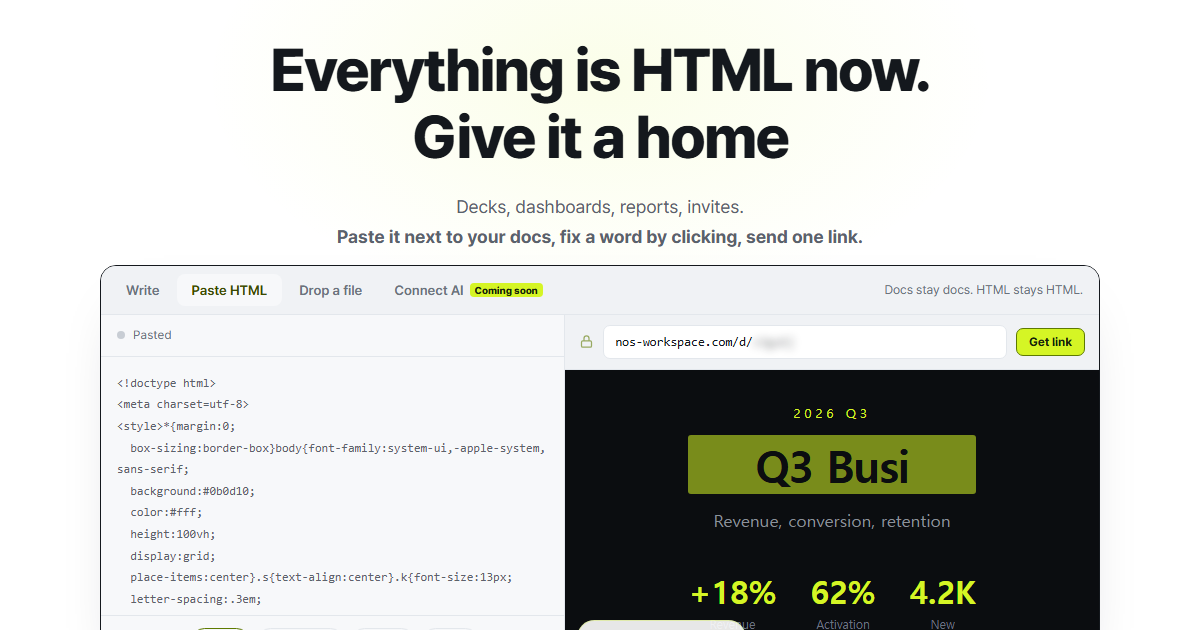
Say you've built a project proposal as an HTML page, and just before you send it to the client you notice the scope line still promises three pages instead of five. The start date is a week off too. I'm building NOS so you can fix that on the page itself.

You paste the page into NOS and it looks the way you built it. Click the scope sentence, type the fix, then do the same with the date. No digging through the code or asking an AI to redo the page.

Then you send it as a link, without setting up a separate website for it. Your client opens it without signing in. If you change something later, the link you already sent stays the same.

The page also lives in your workspace next to your notes, so what you jotted down on the client call stays right beside the proposal.

nos-workspace.com/

NOS Workspace
Everything is HTML now. Give it a home
Decks, dashboards, reports and invites are HTML now. Keep them next to your docs.
BA

My AI Never Says "Booked" Until It Is

My AI receptionist has one rule I love. It checks my real calendar, offers 3 free times, then checks again before booking, because someone might have taken the slot. Only then does it say "you're booked".

Full build on my channel: "I Built an AI Receptionist. It Answered Every Call for a Week."
Full video - free full tutorial and downloadable files and how-to:
youtu.be/qDrqS0Ex_FY


#shorts #aireceptionist #appointmentbooking #n8n #aiautomation

ai receptionist, ai appointment booking, google calendar automation, ai booking system, how to build an ai receptionist, ai voice agent, n8n workflow, retell ai, ai for clinics, build leaner

0:00 / 0:00
BA

Every message lands with the right tone, even when you're rushed.

Write It Messy. Send It Like a VP.

You know what you mean, it just comes out too long or too casual. With KeyText, type one slash command and AI rewrites your message with confidence, shortens it to one line, or translates it. Works in Gmail, Slack, and LinkedIn. Free on Chrome: keytext.app

#KeyText #AIWriting #CareerTips #CommunicationSkills #SlackTips #AItools #ProductivityHacks #ChromeExtension

You know what you want to say. It just comes out wrong. Too long. Too casual. Too nervous. Write it the way you think it. Then type slash vp-tone, and AI rewrites it with confidence. Slash one-line cuts it to a single sentence. Slash es sends it in Spanish. Same message, the right voice, in seconds. Gmail, Slack, LinkedIn. Add KeyText to Chrome. It's free.

Production note: /vp-tone, /one-line and /es are shown on keytext.app as examples. Set them up as custom AI prompt snippets before screen-recording.

0:00 / 0:00
BA

I Built an AI Receptionist. Zero Missed Calls.

For one week, an AI answered every call to my clinic. It checked my real calendar, booked, moved and cancelled appointments, and sent the urgent ones straight to me.

Full build on my channel: "I Built an AI Receptionist. It Answered Every Call for a Week."
Full video - free full tutorial and downloadable files and how-to:
youtu.be/qDrqS0Ex_FY

For this video I'm playing the owner of a med spa. The calls came from friends playing clients.


#shorts #aireceptionist #aiautomation #n8n #smallbusiness

ai receptionist, ai receptionist demo, ai voice agent, ai phone answering, missed calls, ai for small business, ai automation, n8n, retell ai, med spa ai, build leaner

0:00 / 0:00
BA

Stop spending evenings on repeat emails.

 It's 7pm and You're Still Answering the Same Emails

Follow-ups, intros, meeting invites. Same emails, every day. KeyText turns them into slash shortcuts that work right inside Gmail, and AI shortens or rewrites them on the spot. Two seconds instead of forty-five. Free on Chrome: keytext.app

#KeyText #EmailProductivity #TextExpander #GmailTips #ProductivityHacks #AItools #WorkSmarter #ChromeExtension

It's 7pm. You're still answering the same five emails you answered yesterday. Follow-ups. Intros. Meeting invites. Here's the fix. Type slash followup in Gmail. Press Enter. Your full message drops in, with the name and company ready to fill. Need it shorter? Type slash one-line and AI cuts it down. What took forty-five seconds now takes two. Do that fifty times a day, and your evening is yours again. Add KeyText to Chrome. It's free.

0:00 / 0:00
BA

Three things my AI inbox won't do

It won't delete an old booking. It won't guess a time. And it only reads the newest email in a thread.
If an AI video only shows what works, it's an ad.

Full video - free full tutorial and downloadable files and how to:
youtu.be/Xre2KSqjM2Y

📩 What I build, what breaks, what I learn. Weekly:
buildleaner.com/

Our apps/websites:
keytext.app/
keyweek.app/
keytext.net/
… more to come, keep following.

#AIAutomation #n8n #ClaudeAI


ai email assistant, ai limitations, ai mistakes, honest ai review, ai email automation, gmail automation, ai booking assistant, n8n tutorial, n8n claude, claude ai, inbox management, ai for small business, build leaner

youtu.be
BA

5 Reps, 5 Different Answers? Fix It With One Library #Shorts

When every rep writes their own version, someone sends the wrong one.

KeyText Team gives your whole team one shared snippet library, organized in folders for Sales, Support and more. New hires sound like veterans on day one.

5,000 AI actions per seat each month, for $4 per seat per month.
Try KeyText Team: keytext.app


#KeyText #SalesTeam #CustomerSupport #SalesOps #TeamProductivity #ChromeExtension #AItools #SaaS #Shorts


keytext, shared snippets, team templates, customer support macros, sales team tools, consistent messaging, canned responses for teams, sales enablement, support team productivity, new hire onboarding, chrome extension, ai text expander, team snippet library, sales ops, customer service tools

0:00 / 0:00
BA

A week of AI email cost me $3.41

214 emails. Every one labelled. Every reply drafted.
One Claude call per email, about a cent and a half each. And my inbox went from 94 minutes a day to 22.

Full video - free full tutorial and downloadable files and how to:
youtu.be/Xre2KSqjM2Y

📩 What I build, what breaks, what I learn. Weekly:
buildleaner.com/

Our apps/websites:
keytext.app/
keyweek.app/
keytext.net/
… more to come, keep following.

#ClaudeAI #AIAutomation #n8n


ai email cost, claude api cost, claude api pricing, ai email automation, ai email assistant, ai cost per email, gmail automation, n8n claude, save time on email, ai productivity, inbox management, ai for small business, build leaner

youtu.be
BA

Switching from Text Blaze or TextExpander? Keep Every Shortcut #Shorts

Dreading rebuilding every snippet from scratch? Don't.

KeyText imports your Text Blaze and TextExpander libraries directly. Your shortcuts come with you. Then you get AI that drafts, rewrites and replies, built right in.

Free for 15 snippets, no credit card. Or try every Pro feature free for 7 days.
Switch in minutes: keytext.app


#KeyText #TextBlaze #TextExpander #TextExpanderAlternative #ChromeExtension #AItools #ProductivityTools #SaaS #Shorts


keytext, text blaze alternative, textexpander alternative, import snippets, switch text expander, text expander migration, ai text expander, chrome extension, snippet manager, best text expander, free text expander, productivity tools, ai writing assistant, text shortcuts, keyboard shortcuts

0:00 / 0:00
FR

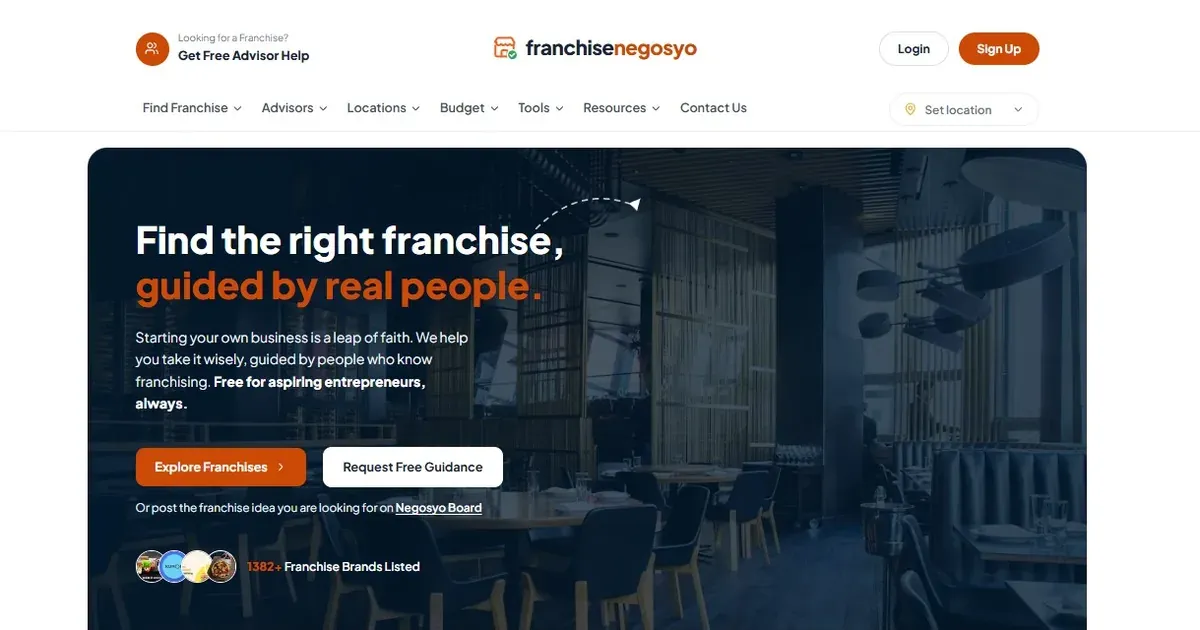
Built for Filipinos weighing their first franchise: franchisenegosyo.com sets out the fee, total investment, royalty and payback of each brand in one fixed order, sorted by budget, industry and city, with a map of where brands already trade. Free to browse.

Can one more milk tea or coffee counter survive on the same street?

Counting on foot beats any brochure: standing near the planned spot at the morning rush, lunch and after class, and tallying who leaves each counter with a cup, shows whether demand is open or already loyal.

Customer mix matters too, since milk tea follows students on small allowances while coffee follows commuters and office hours, so a block full of tea can still lack coffee.

Before choosing a brand, the Negosyo Map on franchisenegosyo.com/ plots where outlets and rivals already trade.

Rent stays fixed when cups fall short, so the guide to how payback periods are calculated is worth reading with a real rent quote: franchisenegosyo.com/guides/how-franchise-payba…

Drink stalls cluster because they sit in low budget bands, and the franchises grouped near 300,000 pesos at franchisenegosyo.com/budget/300k show other options for that money.

A food trade can share drink traffic instead of fighting it, which makes the burger franchise list at franchisenegosyo.com/industries/burgers relevant, and for northern Cebu the burger brands in Danao at franchisenegosyo.com/industries/burgers/danao.

A serious franchisor will explain how it judges a site and whether it has refused nearby locations, and asking for that in writing gives the owner something to check against the street counts.

The full list at franchisenegosyo.com/franchises puts fee, investment, royalty and payback in the same order for every brand, so tea, coffee and food concepts can be compared before signing.

When the counts, the customer mix and a cautious sales estimate all agree, the street has room for one more counter, and when any of them fails, a different street or a different trade is usually the wiser choice.

FranchiseNegosyo
Find Your Franchise in the Philippines | FranchiseNegosyo
Free franchise matchmaking and advisory for aspiring Filipino entrepreneurs. Explore options across the Philippines, guided by people who know franchising.
BA

How AI sorts my inbox into 7 labels

Urgent. Bookings. Clients. Suppliers. Team. Promos. Other.
My AI gives every email one label. The first one that fits wins, so urgent always beats everything.

Full video - free full tutorial and downloadable files and how to:
youtu.be/Xre2KSqjM2Y

📩 What I build, what breaks, what I learn. Weekly:
buildleaner.com/

Our apps/websites:
keytext.app/
keyweek.app/
keytext.net/
… more to come, keep following.

#Gmail #EmailAutomation #n8n


gmail labels, sort emails automatically, ai email sorting, gmail automation, inbox management, inbox zero, email organization, ai email assistant, gmail ai, n8n gmail, claude ai, ai for small business, ai for med spa, build leaner

youtu.be
BA

Reply to Any Client in Their Language, No Translator Tab #Shorts

Your client writes in Spanish. You don't.

Skip the copy, translate, fix, paste routine. Write your reply, add /es, and KeyText's AI translates it right in the text field.

Same message. Their language. No extra tabs.
Works in Gmail, LinkedIn, Slack, WhatsApp Web and more.

Free plan: 15 snippets + 50 AI actions a month. No credit card.
Add KeyText to Chrome: keytext.app


#KeyText #Freelancing #InternationalBusiness #AItranslation #ChromeExtension #ProductivityTools #ClientCommunication #AItools #Shorts


keytext, ai translation, translate emails, reply in spanish, international clients, freelancer tools, chrome extension, multilingual email, translate in gmail, client communication, ai writing assistant, global business, language barrier, ai text expander, cross border sales

0:00 / 0:00
MA

Linux Engineer. Aspiring developer. Prone to shenanigans and hacking other people's things. I own too many guitars. Linkedin: https://www.linkedin.com/in/mariusdebeer/

It has been a crazy few weeks for Storagezen.co.za

A lot of code shipped, a lot of new features. Probably my favorite:
The Occupancy Dashboard.
Hover on a unit, see who is renting it, their contact details & monthly rental charged.
Units marked in red has missing contact details and won't be invoiced until it is resolved.

BA

My AI checks my calendar before it replies

A client asks for Thursday afternoon. My AI reads my Google Calendar, finds two gaps that are really free, and offers them in a draft.
It never says "you're booked". A human confirms.

Full video - free full tutorial and downloadable files and how to:
youtu.be/Xre2KSqjM2Y

📩 What I build, what breaks, what I learn. Weekly:
buildleaner.com/

Our apps/websites:
keytext.app/
keyweek.app/
keytext.net/
… more to come, keep following.

#GoogleCalendar #n8n #ClaudeAI


ai booking assistant, ai appointment booking, google calendar automation, n8n google calendar, ai scheduling assistant, ai email assistant, gmail automation, booking emails, ai for med spa, ai for clinics, n8n claude, claude ai, inbox management, build leaner

youtu.be
BA

How Many Hours Did You Waste Retyping This Week? #Shorts

Most people have no idea how much time repetitive replies eat. KeyText does.

Every time a snippet fires, KeyText counts the time you saved, this week and this month. It also shows which snippets you use most, so you know exactly what to automate next.

Stop guessing. See your time come back.

Free plan: 15 snippets + 50 AI actions a month. No credit card.
Add KeyText to Chrome: keytext.app


#KeyText #TimeManagement #ProductivityHacks #WorkSmarter #ChromeExtension #TextExpander #AItools #RemoteWork #Shorts


keytext, time management, save time at work, productivity analytics, text expander, chrome extension, repetitive emails, automate replies, work smarter, time tracking, snippet analytics, productivity hacks, remote work tools, ai text expander, email productivity

0:00 / 0:00
BA

Why my AI won't reply to this email

A client writes that her lips are more swollen after filler. My AI could write a nice reply. That's exactly the problem.
So it stars the email, puts it at the top, and writes nothing. A human answers.

Full video - free full tutorial and downloadable files and how to:
youtu.be/Xre2KSqjM2Y


📩 What I build, what breaks, what I learn. Weekly:
buildleaner.com/

Our apps/websites:
keytext.app/
keyweek.app/
keytext.net/
… more to come, keep following.

#AIforBusiness #MedSpa #n8n


ai email assistant, ai guardrails, human in the loop, ai for med spa, med spa email, ai customer service, urgent email, ai for clinics, gmail automation, n8n claude, claude ai, inbox management, ai safety rules, build leaner

youtu.be
BA

Make Any Message Sound Senior in 2 Seconds #Shorts

You know what you mean. It just comes out too nice, too long, too junior.

Type your draft, add /vp-tone, and KeyText's AI rewrites it clear and confident, right inside the text field. Need it shorter? /one-line turns a paragraph into one sentence.

Works in Gmail, LinkedIn, Slack and more.

Free plan: 15 snippets + 50 AI actions a month. No credit card.
Add KeyText to Chrome: keytext.app


#KeyText #WritingTips #CareerGrowth #Leadership #AIwriting #ChromeExtension #ProductivityTools #EmailTips #Shorts


keytext, ai rewriting, professional email writing, sound confident at work, executive communication, rewrite email tone, ai writing assistant, chrome extension, shorten text ai, email tips, business writing, career growth, ai text expander, workplace communication, write better emails

0:00 / 0:00
BA

The right way to use AI for email replies !

My AI writes every email reply. It never sends one.

My AI reads every email, labels it, and writes the reply as a draft. Then I read it and hit send.
The one time it gets a price wrong, I catch it, not my client.

Full video - free full tutorial and downloadable files and how to:
youtu.be/Xre2KSqjM2Y

📩 What I build, what breaks, what I learn. Weekly:
buildleaner.com/

Our apps/websites:
keytext.app/
keyweek.app/
keytext.net/
… more to come, keep following.

#n8n #ClaudeAI #EmailAutomation


ai email assistant, ai email writer, ai email automation, gmail automation, gmail ai, ai draft replies, n8n gmail, n8n claude, claude ai, inbox management, ai for small business, ai for med spa, email automation, build leaner

0:00 / 0:00
BA

This AI tool fixes your email mistakes #TechTips #Automation

Stop Sending "Hi [Name]" by Accident

One template. A hundred contacts. One embarrassing typo.

KeyText snippets carry smart variables like {{first_name}}, {{company}} and {{today}}. Type /intro, press Enter, and Tab through the fields. Personal messages in seconds, every single time.

Works in Gmail, LinkedIn, Slack, Outlook and every text field on the web.

Free plan: 15 snippets + 50 AI actions a month. No credit card.
Add KeyText to Chrome: keytext.app


#KeyText #EmailTips #SalesProductivity #ColdEmail #ChromeExtension #TextExpander #ProductivityHacks #AItools #Shorts


keytext, text expander, chrome extension, email templates, personalized emails, cold email tips, smart variables, gmail templates, linkedin templates, sales productivity, email personalization, canned responses, ai text expander, productivity tools, email automation, save time on email

0:00 / 0:00
BA

I Gave AI My Inbox. It Wrote Every Reply for a Week

I gave AI my client’s med spa inbox for a week. It read every email, gave it a label, wrote every reply as a draft, and put every booking on the calendar. It never sent a single email. I did.

This is how to build an AI email assistant for Gmail in n8n with Claude. 14 boxes, 7 labels, about 1.5 cents an email. It reads your Business Brain doc for prices and rules, reads your calendar to offer real free slots, and never guesses.

📬 Full video - free full tutorial and downloadable files and how-to:
youtu.be/Xre2KSqjM2Y

youtu.be
BA

Finally, a way to see how much time you save 

How Many Hours Do You Waste Retyping Messages?


KeyText tracks every snippet you use and shows the time you save each week and month. Start free, or try every Pro feature free for 7 days, no credit card. keytext.app

"How much of your week is retyping?" over a typing montage

Snippets expanding in Gmail, LinkedIn, Slack, each adds a tick

Analytics card counting up "saved this week / this month" (demo values, label as illustrative)

Person closing laptop early. End card: "Try Pro free for 7 days"


"How much of your week goes to typing the same messages? Most people never check. KeyText does. Every snippet you expand is counted and turned into time saved: this week, this month, right on your dashboard. Watch it grow as you reply faster in Gmail, LinkedIn, and Slack. That's time back for real work, or for logging off early. Start free, or try Pro free for 7 days."


#KeyText #TimeManagement #WorkSmarter #ProductivityHacks #AITools #Analytics

0:00 / 0:00
BA

3 Things You Should Never Tell Your Business AI

If your team can ask an AI that knows your business, keep these out of it: passwords, client names or health details, and anything you'd hate to see screenshotted. Anyone with the link can ask for it. Everything else? Put it in.

Full video - free full tutorial and downloadable files and how to:
youtu.be/pD4ovOz0sl8

📩 What I build, what breaks, what I learn. Weekly:
buildleaner.com/

Our apps/websites:
keytext.app/
keyweek.app/
keytext.net/
… more to come, keep following.

The full safe setup, free: buildleaner.com/business-brain

#AIforBusiness #ClaudeAI #AIsafety

ai privacy, ai security for business, what not to share with ai, ai for business, claude ai, ai knowledge base, business brain, data privacy, small business ai, ai tips, build leaner

0:00 / 0:00
BA

Moving From Text Blaze or TextExpander? Keep Every Shortcut


Import your existing snippet library into KeyText and keep your triggers, then add AI drafting, rewriting, and replies. Browser-native and free to start. keytext.app

Long list of old shortcuts, "rebuild all this?" dread

Import button, library flows into KeyText

Old trigger typed in Gmail, still expands

AI rewrite and reply appear on top. End card with "No credit card"

"Years of shortcuts in Text Blaze or TextExpander? You don't have to rebuild them. KeyText imports your library directly, so your triggers keep working from day one. Then you get what they're missing: AI that drafts, rewrites, and replies in every text field. Browser-native, no desktop app, and free to start with no credit card. Keep your muscle memory. Add the AI. KeyText, on Chrome."


#KeyText #TextBlaze #TextExpander #ProductivityTools #AITextExpander #Chrome

0:00 / 0:00
BA

My AI Got 2 Answers Wrong. It Wasn't the AI's Fault.

Both times it quoted an old price I'd changed and never updated in the doc. The AI was right about the doc. The doc was wrong about the world. Now I spend 10 minutes every Friday reading the log. That's the whole maintenance.

Full video - free full tutorial and downloadable files and how to:
youtu.be/pD4ovOz0sl8


📩 What I build, what breaks, what I learn. Weekly:
buildleaner.com/

Our apps/websites:
keytext.app/
keyweek.app/
keytext.net/
… more to come, keep following.

Free template: buildleaner.com/business-brain

#AIforBusiness #ClaudeAI #SmallBusiness

ai mistakes, ai wrong answers, ai knowledge base, claude ai, ai for business, keep ai accurate, business brain, ai maintenance, small business ai, ai employee, build leaner

0:00 / 0:00
BA

The real cost of using Claude AI 

I Tracked What My AI Cost for a Week. $0.83.

64 questions from my team. 51 answered from our doc, 13 sent to me. Total cost for the week: $0.83, about 1 cent a question. Every question is logged to a Google Sheet with its exact cost, from Claude's own token count.

Full video - free full tutorial and downloadable files and how to:
youtu.be/pD4ovOz0sl8


📩 What I build, what breaks, what I learn. Weekly:
buildleaner.com/

Our apps/websites:
keytext.app/
keyweek.app/
keytext.net/
… more to come, keep following.

Get the workflow, free: buildleaner.com/business-brain

#AIforBusiness #ClaudeAI #n8n

ai cost, claude api cost, claude api pricing, how much does ai cost, ai for small business, n8n claude, ai automation cost, business brain, ai employee, google sheets automation, build leaner

0:00 / 0:00
BA

Personalized Outreach in 2 Seconds, Not 45


Smart variables mark every name and company in your template. Press Tab to fill them and send. Personal messages without the typing. Free for 15 snippets. keytext.app

Left: generic copy-paste message, "Seen" with no reply. Right: slow typing, clock spinning

LinkedIn DM box, type /intro, message drops in with {{first_name}} and {{company}} highlighted

Tab, Tab: fields fill instantly

Counter: "45 sec → 2 sec". End card


"Copy-paste outreach gets ignored. Fully personal outreach takes forever. Here's the middle. Type slash intro. Your message drops in with first name and company highlighted. Press Tab to jump between them, fill each one, send. It reads like you wrote it just for them, because you did, just faster. Two seconds instead of forty-five, every single time. KeyText. Free for 15 snippets."

#KeyText #SalesProspecting #LinkedInTips #ColdOutreach #Recruiting #TextExpander

0:00 / 0:00
AR

i’m Arush Sharma. 15yo founder and builder obsessed with rapid execution. I don’t wait for solutions. I ship them. ​currently, I’m working on b2b startups.

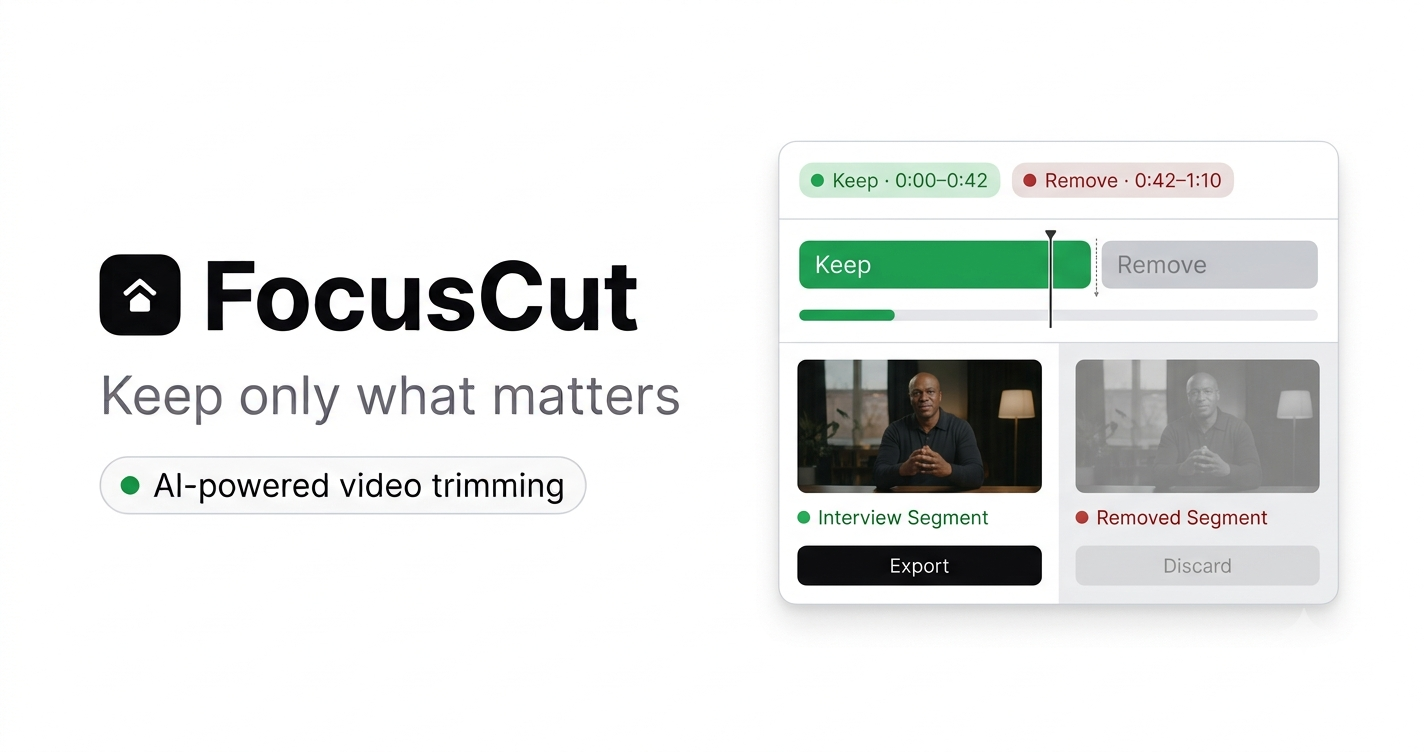
I got tired of creating 45 minutes of video for 8 minutes of information.


built a tool to fix this.


focuscut.pages.dev turns your video into parts that actually matter to you


with all BS removed.


free to try

focuscut.pages.dev
FocusCut – Keep only what matters
FocusCut uses AI to cut out the fluff from any video. Keep only what matters — download a clean MP4 in minutes.
BA

I Asked My AI for the Wifi Password. It Refused.

Good. It's not in the doc, and the rule is: if it's not in the doc, don't guess. So it says "ask Sam" and emails me the question. I answer once, add two lines to the doc, and it never asks again.

Full video - free full tutorial and downloadable files and how to:
youtu.be/pD4ovOz0sl8


📩 What I build, what breaks, what I learn. Weekly:
buildleaner.com/

Our apps/websites:
keytext.app/
keyweek.app/
keytext.net/
… more to come, keep following.

Build your own, free: buildleaner.com/business-brain

#AIforBusiness #ClaudeAI #n8n

ai hallucination, ai that doesn't guess, claude ai, ai for business, ai knowledge base, business brain, n8n automation, ai safety business, ai chatbot for team, ai employee, build leaner

BA

Get Perfect Replies in Seconds !


Stop Re-Reading Long Email Threads.

KeyText Auto-reply keeps the thread's context in memory, drafts a reply that fits, and lets you adjust it in plain English. Built into Chrome. Start free. keytext.app

Endless email thread scrolling, dates and prices crossed out and changed

User sighs, scrolls up again

KeyText Auto-reply panel drafts a reply that references the latest details

User types "make it shorter, mention I'm away next week", draft updates, send


"Twelve messages deep. Dates changed, prices changed, someone's travelling next week. Replying means scrolling up and re-reading everything. KeyText Auto-reply reads the thread for you. It remembers what was said, drafts a reply that actually fits, and you tweak it in plain English: make it shorter, mention I'm away next week. Then send. Less scrolling, fewer mistakes, faster answers. Try KeyText free on Chrome."


#KeyText #InboxZero #AIAssistant #EmailProductivity #SalesTips #ChromeExtension

0:00 / 0:00
BA

I Built My Team's Manual in 25 Minutes Without Writing

Nobody finishes the team manual. So I didn't write one. I answered 30 questions out loud for 25 minutes, pasted the transcript into Claude, and it sorted everything into 9 sections. That doc now answers my team for me.

Full video - free full tutorial and downloadable files and how to:
youtu.be/pD4ovOz0sl8


📩 What I build, what breaks, what I learn. Weekly:
buildleaner.com/

Our apps/websites:
keytext.app/
keyweek.app/
keytext.net/
… more to come, keep following.

The 30 questions + the prompt, free: buildleaner.com/business-brain

#AIforBusiness #ClaudeAI #Productivity

team manual, sop with ai, standard operating procedure, ai for business, claude ai, voice memo to document, business brain, ai knowledge base, delegation, small business tips, ai productivity, build leaner

0:00 / 0:00
BA

The AI tool I wish I had sooner 🤯 #ai #tech


Fix Your Tone Before You Hit Send

One slash command rewrites your message to sound professional and confident. Another shrinks it to a single sentence. Works in every text field on the web. Free on Chrome. keytext.app

Visual beats

Late-night desk, clock reads 11:00 PM, long defensive draft on screen

Highlight awkward phrases in red

Type /vp-tone, text rewrites into a clean confident version

Type /one-line, collapses to one sentence. End card

VO
"You wrote it at 11pm. It sounds tired, a little defensive, and way too long. Before you hit send, type slash vp-tone. KeyText rewrites it calm, clear, and confident, in the same text box. Still too long? Slash one-line turns it into a single sentence. Same message, better impression. Every email, every DM, every Slack reply. KeyText, the AI text expander. Add it to Chrome free."


#KeyText #WritingTips #ProfessionalCommunication #AITools #EmailEtiquette #Productivity

0:00 / 0:00
BA

Stop answering the same team questions. Use this AI trick

My Team Asked Me 38 Questions. Now It's 9.

My team sent me 38 questions in one week. I put everything I know into one Google Doc and gave it to AI with one rule: only answer from the doc. One week later: 9.

Full video - free full tutorial and downloadable files and how to:
youtu.be/pD4ovOz0sl8


📩 What I build, what breaks, what I learn. Weekly:
buildleaner.com/

Our apps/websites:
keytext.app/
keyweek.app/
keytext.net/
… more to come, keep following.

Full build (free workflow + template): buildleaner.com/business-brain

#AIforBusiness #ClaudeAI #n8n #automation #workhacks #ai

ai for business, ai knowledge base, claude knowledge base, business brain, delegate with ai, ai for small business, ai employee, n8n, claude ai, team questions, business automation, build leaner

0:00 / 0:00
BA

How I Built an AI Brain for My Team ?

I Gave AI My Entire Business. My Team Stopped Asking Me Question !

My team sent me 38 questions in one week. I put everything I know into one Google Doc, gave it to AI, and gave them a link. One week later: 9.

This is how to build a Claude knowledge base for your team in n8n. Nine boxes, one Google Doc, about 1 cent a question. It answers only from your doc, shows where each answer came from, and when it doesn't know, it emails you instead of guessing.

Full video - free full tutorial and downloadable files and how to: 

youtu.be/pD4ovOz0sl8

youtu.be
BA

How to reply to clients in any language instantly


Write in English, send in Spanish. KeyText translates your reply inline with one slash command, in Gmail, LinkedIn, Slack, and WhatsApp Web. Free plan includes 50 AI actions a month. keytext.app

Visual beats

Gmail inbox, email arrives in Spanish, confused cursor hovers

Split screen: copy to translator, paste back, fix, repeat (sped up, messy)

User types English reply, then /es, presses Enter, text flips to Spanish

Quick cuts: same move in LinkedIn, Slack, WhatsApp Web. End card

VO
"A client just emailed you in Spanish. You don't speak Spanish. Old you: copy it into a translator, fix the weird phrasing, paste it back. New you: write your reply in English, type slash es, press Enter. Done, in their language, right inside Gmail. Works on LinkedIn, Slack, and WhatsApp Web too. More clients, zero language barrier. KeyText. Free on Chrome, 50 AI actions every month."


KeyText #AIProductivity #ChromeExtension #EmailTips #Translation #RemoteWork

0:00 / 0:00